Visualize Guitar Theory: Learn Scales & Intervals Online
Ever struggled to connect guitar theory with your actual playing? You're not alone. Many guitar learners find abstract concepts like scales and intervals difficult to translate onto the fretboard. Reading about theory is one thing, but truly understanding it requires seeing and hearing it in action.
Traditional music theory often teaches concepts in isolation. This makes it difficult to see how they apply to your guitar. This guide offers a solution. We'll show you how to visualize guitar theory directly on an interactive fretboard. This bridges the gap between abstract knowledge and practical skill. With a powerful online tool like VirtualGuitar.org, you can finally make theory click.
We'll explore how to map out scales, understand interval relationships, and even see how modes work, all on a virtual guitar interface. It’s time to turn confusion into confidence and make music theory your greatest ally.
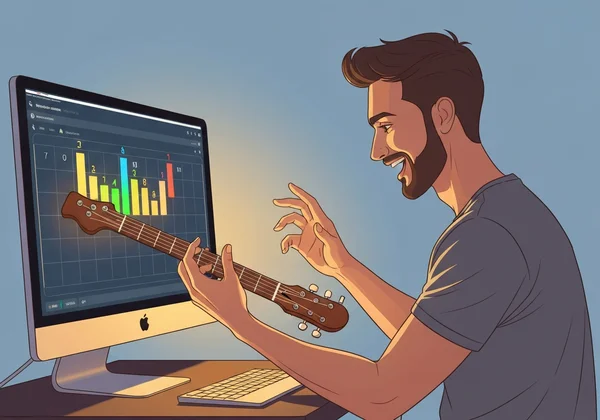
Understanding the Virtual Fretboard: Your Visual Learning Canvas
Before diving into scales and intervals, it’s essential to understand your new learning environment. The virtual fretboard is more than just a picture; it's an interactive canvas designed to make complex ideas simple. It’s your personal space for risk-free musical exploration.
How the Virtual Guitar Maps to a Real Instrument
A common question is whether a virtual guitar truly represents a real one. The answer is yes. The virtual fretboard on our platform mirrors a standard six-string guitar. The strings are tuned to E-A-D-G-B-E, from the thickest (lowest pitch) to the thinnest (highest pitch). Each fret represents a half-step increase in pitch, just like on a physical instrument.
When you click on a fret or use your keyboard, you are playing the exact same note you would on a real guitar. This one-to-one mapping ensures that everything you learn visually can be directly applied to a physical guitar whenever you're ready.
Key Features for Theory Visualization
What makes an online guitar so effective for learning theory? It’s the features designed specifically for visual learners. On our platform, you can:
- Instantly Hear Notes: Click any fret to hear the corresponding note. This immediate audio feedback connects the visual pattern to the sound it creates.
- Use Your Keyboard: Our keyboard mapping turns your computer into an instrument, allowing you to play patterns and sequences more fluidly than with a mouse.
- Switch Tones: Explore how theory sounds on different instruments by switching between acoustic, electric, and classical guitar tones. This helps you understand how concepts apply across genres.
These features transform the fretboard from a static diagram into a dynamic, interactive tool for discovery.
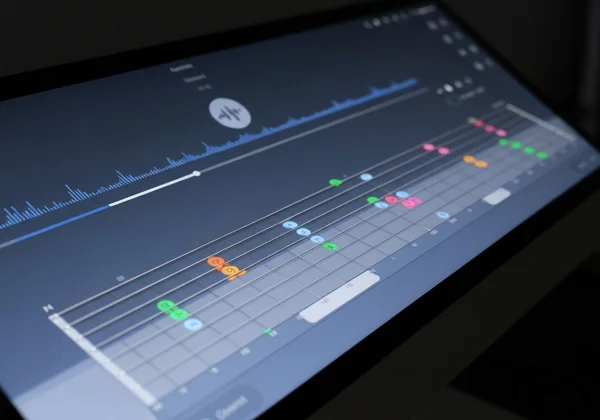
Mastering Scale Patterns on the Virtual Fretboard
Scales are the building blocks of melodies and solos. Memorizing scales can feel tedious. Visualizing them on the fretboard makes the process intuitive and fun. Let's explore how you can master scale patterns with our online guitar simulator.
Major Scale Visualization: Finding Patterns Anywhere on the Neck
The major scale is one of the most important scales in music. Instead of just memorizing a single "box" pattern, you can use a virtual instrument to see how the scale's formula (Whole-Whole-Half-Whole-Whole-Whole-Half step) lays out across the entire neck.
Start with the C Major scale, as it has no sharps or flats. Begin on the 8th fret of the low E string (the C note). Follow the pattern and click on each note: C, D, E, F, G, A, B, and back to C. Watch the "jumps" between frets. You’ll notice the pattern of whole steps (two frets) and half steps (one fret). Now, try starting on a different note, like G (3rd fret, E string), and apply the same visual pattern. You are now playing the G Major scale.
Practice Exercise: Playing Major Scales in Different Positions
Repetition is key to muscle memory, even virtual muscle memory. Here’s a simple exercise you can do right now.
- Open the virtual guitar in your browser.
- Start with the G Major scale on the low E string (3rd fret). Play the notes up and down.
- Now, find the next G note on the A string (10th fret). Play the same G Major scale starting from that position.
- Compare the visual shape of the scale in both positions. Notice how certain patterns repeat.
By practicing in different positions, you'll break free from rigid "box" shapes and learn to navigate the fretboard with freedom. This is a core part of effective scale pattern practice.
From Major to Natural Minor: Visualizing the Relative Relationship
Every major scale has a relative minor scale that uses the exact same notes but starts on a different root note. For example, the relative minor of C Major is A Minor. On the virtual fretboard, this relationship becomes incredibly clear.
First, play the C Major scale (C-D-E-F-G-A-B-C). Now, keeping the same set of notes, start playing from A instead (5th fret, E string). Play A-B-C-D-E-F-G-A. Listen closely. The mood has changed from bright and happy to something more somber or serious. You've just played the A Natural Minor scale without changing a single note from the C Major scale. This visual and auditory connection is something a textbook can't easily provide.
Interval Training: Seeing the Sounds on Your Fretboard
Intervals are simply the distance in pitch between two notes. They are the foundation of both chords and melodies. Understanding them will unlock your ability to build chords, write melodies, and train your ear.
What Are Intervals and Why They Matter for Guitarists
For guitarists, intervals are not just abstract theory; they are physical shapes on the fretboard. A "perfect fifth" isn't just a name; it’s a consistent shape you can move all over the neck. Learning these shapes is a shortcut to understanding harmony.
Why does this matter? When you can see the shape of a "major third" or a "perfect fifth," you can instantly build any major or power chord you want, anywhere on the neck. This visual approach to interval training online is far more efficient than memorizing hundreds of individual chord diagrams.
Visualizing Common Interval Shapes on the Virtual Guitar
Let's visualize some key interval shapes. Go to our free online guitar and try this:
- Major Third: Pick any note on the A string. The note on the D string at the same fret is a perfect fourth. But the note on the G string one fret lower is a Major Third. You'll see this diagonal shape everywhere.
- Perfect Fifth: Pick any note on the E or A string. The note two frets higher on the next string up (e.g., from A string to D string) is a perfect fifth. This is the shape of a power chord.
- Octave: Pick any note on the low E or A string. The note two frets higher and two strings higher is its octave. Notice this consistent, recognizable shape.
By playing with these shapes, you'll start to see the fretboard not as a collection of random notes, but as a grid of predictable relationships.
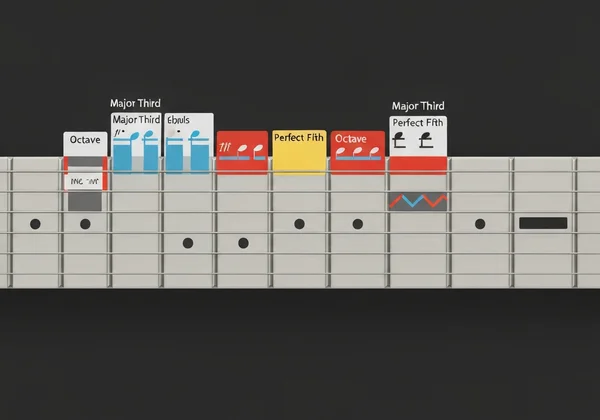
Interval Ear Training: Listen and Identify on the Virtual Fretboard
The final step is to connect the visual shape and the name to the actual sound. Use the virtual guitar for ear training.
- Play a root note, for example, C (5th fret, G string).
- Now, play another note and try to identify the interval. Is it a major third (E, 9th fret, G string) or a perfect fifth (G, 12th fret, G string)?
- Click back and forth between the two notes. Listen to the "feel" or "color" of the interval. Over time, you'll learn to recognize them by ear.
Exploring Modes: Visualizing the Character of Each Scale
If you've spent any time learning guitar, you've probably heard of modes. Modes can seem intimidating, but they are just different flavors of a scale. Visualizing them is the key to demystifying them.
What Makes Modes Different: A Visual Approach
In simple terms, a mode is created by starting a scale on a different degree. Let's go back to the C Major scale (C-D-E-F-G-A-B).
- Playing it from C to C gives you the Ionian mode (the standard major scale).
- Playing the exact same notes from D to D (D-E-F-G-A-B-C) gives you the Dorian mode.
- Playing from E to E gives you Phrygian, and so on for all seven notes.
On the virtual fretboard, you can see this clearly. The notes don't change, but the starting point—the root—does. This shift in perspective changes the entire mood and character of the scale because the pattern of whole and half steps is different relative to the new root note.
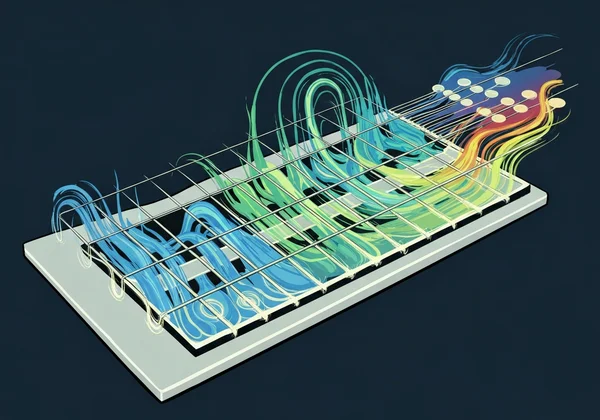
Dorian and Mixolydian Patterns on the Virtual Fretboard
Dorian and Mixolydian are two of the most popular modes in rock, blues, and pop music.
- Dorian: Think of it as a minor scale with a "bright" or "jazzy" twist. To see this, play an A Minor scale (A-B-C-D-E-F-G). Now, raise the 6th note (F) to an F-sharp. You've just created A Dorian. It’s perfect for bluesy or soulful solos.
- Mixolydian: Think of it as a major scale with a "bluesy" or "rock" edge. To see this, play a G Major scale (G-A-B-C-D-E-F#). Now, lower the 7th note (F#) to an F. You've created G Mixolydian, the foundation of countless rock and blues riffs.
Try playing these on the interactive fretboard. Toggle between the original scale and the mode to hear the subtle but powerful difference one changed note can make.
Modal Practice: Applying Each Mode to Different Musical Styles
The best way to understand modes is to use them. Switch to the electric guitar sound on our platform. Try playing a Dorian pattern over a simple minor chord progression. Hear how it fits? Now, try playing a Mixolydian pattern over a dominant 7th chord or a standard blues progression. That sound is the heart of rock and roll. Experimenting like this builds a practical, usable understanding of music theory.
Start Your Visual Guitar Theory Journey Today
A virtual guitar can completely transform how you connect with music theory. By turning abstract rules into tangible shapes and sounds, you can learn faster and build a deeper, more intuitive understanding of how music works. You've seen how to visualize scales, map out intervals, and demystify modes.
When you see theory as shapes and sounds on the fretboard, it stops being a chore and becomes an exciting journey. By seeing scales, intervals, and modal relationships directly on the fretboard, you develop a powerful mental map that translates directly to better playing, improvisation, and songwriting. This visual method is the bridge between knowing and doing.
Ready to see guitar theory in a whole new light? Why wait? Dive in now and start making theory click.
Frequently Asked Questions about Visual Guitar Theory Learning
Can I really learn guitar theory effectively with a virtual guitar?
Absolutely. A virtual guitar provides instant audio-visual feedback that can make abstract concepts much easier to grasp. By seeing and hearing the relationship between notes, scales, and chords in real time, you can often learn faster than with a textbook alone. It's an excellent supplement to traditional learning.
What's the difference between learning theory on a virtual versus real guitar?
The main difference is the tactile element. However, a virtual guitar offers unique advantages for beginners. It removes physical challenges like finger pain and lets you focus purely on the theoretical concepts. Everything you learn visually on a tool like our online guitar is directly transferable to a physical instrument.
How often should I practice these visualization techniques?
Consistency is more important than duration. Even 10-15 minutes a day spent exploring scales, intervals, or modes on a virtual fretboard can significantly improve your understanding. Treat it like a fun, interactive puzzle rather than a chore.
Are these visualization methods suitable for complete beginners?
Yes, they are perfect for beginners! In fact, starting with a visual approach can prevent many of the frustrations that cause people to give up. Visualizing theory from day one builds a strong foundation and makes the fretboard feel less intimidating. It helps you understand the "why" behind what you play.
Can I use these visualization techniques to write my own music?
Definitely. Once you can visualize the shapes of scales and intervals, you can start combining them to create your own melodies and chord progressions. For example, you can see how a melody moves through a scale pattern or how to build a chord using interval shapes. It's a fantastic tool for sparking creativity and trying out new ideas.